


 2026-02-21 10:09:24
 1122
1122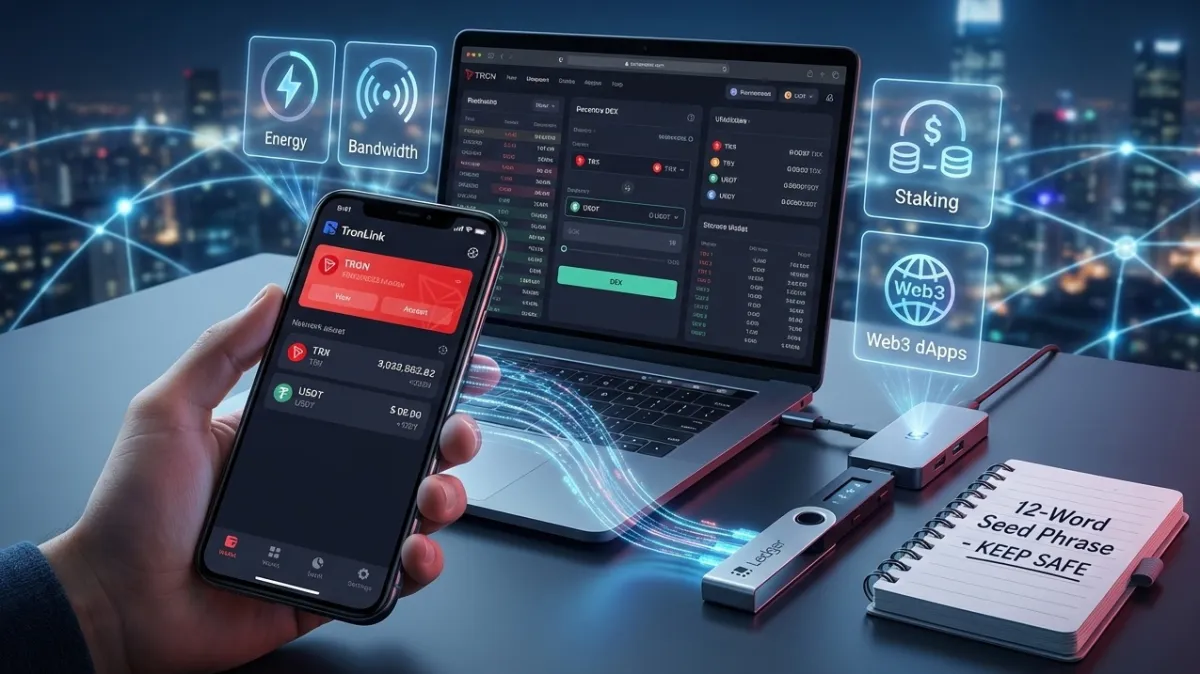
- What is TRON and Why You Need Your Own Tron Wallet
- Types of TRON Wallets
- Choosing the Ideal Tron Wallet: What to Look For?
- Best TRON Wallets: Detailed Review and Comparison
- How to Create and Set Up a Tron Wallet in 4 Steps
- Key Features of a Tron Wallet: More Than Just a "Storage"
- Security and Best Practices: Your Digital Body Armor
- Advanced Features and Integrations: Beyond the Basics
- Conclusion: Your Journey in the TRON Ecosystem
1. What is TRON and Why You Need Your Own Tron Wallet
TRON was built with an ambitious goal: to "decentralize the internet." At its core lies the DPoS (Delegated Proof of Stake) mechanism. Simply put, instead of burning electricity (like in mining), the network is supported by "elected" nodes that users vote for.
Key Advantages of the TRON Network:
-
Speed: Up to 2,000 transactions per second (Bitcoin processes around 7).
-
Ecosystem: It's not just a coin, but a massive platform for smart contracts, decentralized applications (dApps), and, of course, the primary "highway" for the world's most popular stablecoin — USDT (TRC-20).
Why Do You Need a Tron Wallet? Keeping your crypto on an exchange is like keeping your money in someone else's pocket. A Tron Wallet gives you full control:
-
Storage — Not just for TRX, but for thousands of tokens based on the TRC-10 (simple tokens) and TRC-20 (smart tokens, including USDT) standards.
-
Staking — You can "freeze" your coins to earn passive income or... get free transactions (more on this below).
-
Access to Web3 — This is your passport to the world of DeFi exchanges, crypto games, and marketplaces.
2. Types of TRON Wallets
-
Mobile Wallets — Always at your fingertips (like Apple Pay for crypto). Ideal for daily payments.
-
Browser Extensions — Installed in Chrome. A must-have for those actively using crypto service websites.
-
Desktop Wallets — Software for your PC. For those who prefer a thorough approach and in-depth customization.
-
Hardware Wallets — "Flash drives" for your crypto. The most secure option for storing large amounts (cold storage).
3. Choosing the Ideal Tron Wallet: What to Look For?
Choosing a wallet is like choosing a car: some need a comfortable sedan for the city, while others need an armored safe on wheels.
Security is the Foundation
The first rule of the crypto club: "Not your keys, not your coins."
-
Local Storage: A good wallet stores your private keys only on your device, not on the company's servers.
-
Protection: Biometrics (FaceID/fingerprint), encryption, and 2FA (Two-Factor Authentication) are essential.
-
Seed Phrase: Ensure the wallet provides you with a 12 or 24-word recovery phrase.
Usability and Functionality
-
Interface: If the app looks like the control panel of a 1980s spaceship, you'll get tired of it quickly. Look for a clean and intuitive design.
-
dApp Integration: The wallet should have a built-in browser for interacting with crypto sites.
-
Multi-signature: For the truly security-conscious — the ability to approve a single transaction from two different devices.
The Magic of Resources: Bandwidth and Energy
This is a unique feature of TRON. When choosing a wallet, see how conveniently resource management is implemented:
-
Bandwidth: Allows you to make simple TRX transfers for free.
-
Energy: Required for interacting with smart contracts (e.g., to send USDT).
A good wallet lets you stake your TRX in a few clicks and acquire these resources, so you don't have to pay fees with real money.
Compatibility and Cost
-
Multi-chain: It's convenient when one app holds TRON, Ethereum, and BSC network coins.
-
Fees: Most wallets are free. If someone asks you to pay for installation, it's likely a scam.
-
SDK for Pros: If you're a developer, having open-source code and integration tools is important.
4. Best TRON Wallets: Detailed Review and Comparison
There are hundreds of wallets on the market, but the TRON network has its favorites. We've selected those that best handle the specifics of TRX.
Market Leaders
TronLink (The Official Choice) This is the "gold standard." If you plan not just to hold coins but to vote for Super Representatives, play crypto games, or swap tokens on DEXs, this is your option. Pros: Full support for all network features, "Energy" management, Ledger integration. Cons: The interface might seem overwhelming for beginners.
Trust Wallet (The Universal Soldier) Owned by the Binance exchange. Ideal if you have a "mix" of different currencies (BTC, ETH, TRX) in your pocket. Pros: Incredibly simple design, built-in Tronify service (automatically finds the cheapest ways to send USDT). Cons: Fewer fine-tuning options specifically for the TRON network.
Exodus (Aesthetics and Comfort) The best choice for those who love beautiful charts and organization. Pros: Seamless synchronization between PC and phone, excellent 24/7 customer support. Cons: Closed-source code (a drawback for hardcore privacy fans).
Atomic Wallet (For Staking Enthusiasts) Positions itself as a wallet with high yield. Pros: Anonymous in-app exchange, the ability to stake TRX and earn rewards in a few clicks. Cons: There have been security incidents in the past, so it's important to always update the app.
Ledger (The Armored Safe) A hardware wallet. Your keys never leave the physical device. Pros: Maximum security. You can stake TRX directly through the Ledger Live app. Cons: Costs money (from $80), not as convenient for quick small payments.
MathWallet (The Pro Tool) A multi-chain wallet loved for its support of airdrops and deep dApp integration.
Other Worthy Contenders SafePal (an excellent budget "cold" wallet), Tangem (a wallet in the form of a bank card), Tronscan (a web interface for working directly in the browser).
Comparison Table of the Best TRON Wallets (2026)
| Wallet | Type | Platforms | Multi-chain | Bandwidth/Energy Management | Security Level | Best Suited For | Cost |
|---|---|---|---|---|---|---|---|
| TronLink | Official | Mobile + Extension | Good | Excellent | High | Active TRON ecosystem users | Free |
| Trust Wallet | Mobile | Mobile | Excellent | Good | High | Beginners and multi-chain holders | Free |
| Exodus | Multi-platform | Mobile + Desktop | Good | Good | High | Users who value convenience and design | Free |
| Atomic Wallet | Mobile + Desktop | Mobile + Desktop | Good | Good | Medium-High | Staking and exchange enthusiasts | Free |
| Ledger | Hardware (Cold) | Via App | Excellent | Good | Maximum | Storing large sums | from $79 |
| MathWallet | Mobile + Extension | Mobile + Extension | Excellent | Good | High | Experienced users and developers | Free |
| SafePal | Hardware + Mobile | Mobile + Hardware | Good | Good | High | Budget-friendly security | Free + Module |
| Tangem | Card (Cold) | Mobile | Good | Basic | Maximum | Simple and reliable storage | from $30-70 |
5. How to Create and Set Up a Tron Wallet in 4 Steps
Don't worry, it's no harder than setting up an email account.
Step 1: Installation Download the app only from links on official websites (e.g., tronlink.org or trustwallet.com). Tip: Never just search for a wallet on Google — you might stumble upon a fraudulent phishing site disguised as an ad.
Step 2: Generate Your "Secret Phrase" (Mnemonic) When creating the wallet, you'll be given 12 or 24 English words. This is your one and only key to your funds. What to do: Write them down on paper and hide them. What NOT to do: Do not take a screenshot, save them in your phone's notes, or send them to your "Saved Messages" in Telegram. If a hacker breaches your iCloud or email — goodbye, money.
Step 3: Setup and Add Assets After logging in, your wallet will be empty. By default, you'll only see TRX. To add USDT, press the "+" or "Add Asset" button and search for USDT. Make sure the TRC-20 standard is selected. Your address is a string of letters and numbers starting with the letter "T". Feel free to give it to friends or exchanges to receive transfers.
Step 4: Connecting Hardware (for Ledger, etc.) If you have a hardware wallet:
-
Turn on Bluetooth on your phone and the Ledger.
-
In the app (e.g., TronLink), select "Pair Hardware Wallet".
Now, for every coin transfer, you'll need to physically press a button on the device itself. That's the legendary "impenetrable" protection.
6. Key Features of a Tron Wallet: More Than Just a "Storage"
Many think a wallet is just for letting coins sit idle. On the TRON network, that's far from the truth. Your wallet is a Swiss Army knife.
💸 Sending and Receiving: Easier Than SMS All addresses on the TRON network start with a capital letter "T". QR Codes: Instead of manually copying a long code (and making a mistake), just show your QR code or scan someone else's. Transactions: TRX transfers cost pennies (often less than $0.01) and are confirmed in seconds.
Buying and Exchanging "In-App" Forget complicated exchanges. Modern wallets (Trust Wallet, TronLink) let you:
-
Buy with a card: Integration with services like MoonPay or Simplex allows you to buy TRX with dollars or euros using Visa/Mastercard or Apple Pay.
-
Quick Swap: Want to turn TRX into USDT or vice versa? Hit the "Swap" button. Some wallets even offer cashback on fees.
Freezing and Resources: The Secret to Free Transactions This is TRON's "killer feature." You can "freeze" (Stake) your TRX. They don't go anywhere, but they are temporarily locked, and you receive:
-
Bandwidth: To transfer TRX itself without fees.
-
Energy: To transfer USDT and use smart contracts for free.
-
Votes: You can vote for "Super Representatives" (those who maintain the network) and earn small dividends (around 3-5% APY) for doing so.
Accessing Web3 and dApps Wallets have a built-in browser. This is your portal to the world of decentralized applications:
-
DeFi: Exchanges where you can earn from providing liquidity.
-
Games and NFTs: Collect digital art or play games where items are truly owned by you.
7. Security and Best Practices: Your Digital Body Armor
In crypto, there's no "reset password via email" button or "call the bank" option. You are your own bank, so security isn't paranoia; it's a necessity.
🛡 The Golden Rule: Your Private Key is Sacred Your private key or seed phrase (12-24 words) is the only way to access your money. Never, ever show these words to anyone. Not even "customer support" (real support will never ask for them). Encryption: Always set a strong password for the app itself and enable fingerprint or FaceID login.
Beware of Phishing and "Gifts"
-
Fake Websites: If you get a link to a "Tron promotion" asking for your seed phrase, it's 100% a scam.
-
Strange Tokens: Sometimes, unknown coins (AirDrops) might appear in your wallet. If you're asked to visit a site and connect your wallet to "unlock" them, don't do it — it's a trap to steal your real TRX.
Updates and Hygiene Update the app: Developers constantly patch security vulnerabilities. An outdated wallet version is a breach in your defense. Divide and Conquer: For daily expenses, use a "hot" wallet on your phone (small amounts). For your "retirement" savings, use a "cold" hardware wallet (like Ledger) that is disconnected from the internet 99% of the time.
What if you lose your phone? Stay calm. Get a new phone, download the wallet app, and select "Import Wallet." Enter those 12 words you wrote down on paper, and voila — your money is back with you. Important: If the paper with the phrase is lost along with the phone, the money cannot be recovered. At all. Ever.
8. Advanced Features and Integrations: Beyond the Basics
A modern Tron Wallet is not just a wallet for a single coin. In 2026, it's a full-fledged multi-tool.
Multi-chain: One Wallet for All Networks Most top-tier wallets (TronLink, Trust Wallet) use an HD (Hierarchical Deterministic) structure. What this means: You write down one seed phrase, and it automatically generates addresses for Tron, Ethereum, BNB Chain, and other networks. You don't need to store 10 different passwords. BTTC (BitTorrent Chain): This is a "bridge" between worlds. Right from your wallet, you can transfer assets from Tron to Ethereum or BSC and back. This makes your wallet a universal key to the entire crypto world.
For Developers and Enthusiasts If you want to do more than just spend, and want to create:
-
Testnets (Shasta, Nile): Special copies of the Tron network where coins are free. Wallets allow you to switch to them to test your smart contracts or dApps without risking real money.
-
SDKs and Protocols: Integration with TronWeb allows websites to "communicate" with your wallet, enabling you to log into resources via transaction signature (like "Login with Google," but anonymous and secure).
Where is it most convenient to use?
-
Browser Extensions: Ideal for work. If you're active on DeFi exchanges or trading NFTs, this is your primary tool.
-
Mobile Apps: Ideal for life. Pay for coffee, check your balance in a taxi, or quickly send USDT to a friend.
-
Synchronization: Modern wallets allow you to import the same account on both your phone and browser. The key is to only enter your seed phrase into trusted applications.
9. Conclusion: Your Journey in the TRON Ecosystem
We've journeyed from creating your first seed phrase to managing network energy. Let's summarize.
Final Recommendations: Which One Should You Choose?
-
For Beginners: Start with Trust Wallet. It's extremely friendly, intuitive, and supports almost all coins in the world.
-
For Active "TRON Holders": Definitely TronLink. Only here will you get 100% control over staking, voting, and Energy/Bandwidth resources.
-
For Large Amounts ($1000 and above): Don't be cheap; buy a hardware wallet like Ledger or Tangem. Peace of mind is worth the money.
What Does the Future Hold? The TRON ecosystem continues to grow. In the coming years, we'll see:
-
More AI Integrations: Wallets that advise you on the best times to stake or rent Energy.
-
Improved Multi-signature: The ability to manage family or corporate budgets where a transfer requires approval from two or three people.
-
Mass Adoption: TRON has already surpassed Ethereum in USDT volume, and this trend is only strengthening.